Unlocking the Charm of AI EPS Vector Collections: A Complete Guide to Versatile Illustration Assets
In a world where visual communication shapes everything from brand identity to social media engagement, having access to high-quality, editable illustrations can feel like striking creative gold. Whether you are a seasoned graphic designer, a small business owner refreshing your website, or an educator building engaging classroom materials, the right illustration set can transform an ordinary project into something memorable. Among the many file formats and resource types available today, AI EPS illustration collections stand out as some of the most flexible, professional, and endlessly adaptable assets you can add to your toolkit. This guide explores what makes these collections special, using a delightful example—a set of cute and funny sheep illustrations—to walk you through everything from file formats to real-world applications.
What Exactly Are AI EPS Illustrations and Why Do They Matter?
Before diving into the playful world of illustrated sheep, it helps to understand the technical foundation. AI and EPS are two closely related file formats that belong to the vector graphics family. Unlike raster images—such as JPG or PNG files built from a fixed grid of pixels—vector graphics are constructed using mathematical paths, points, and curves. This fundamental difference gives vector files a superpower: infinite scalability. You can enlarge a vector illustration to the size of a billboard or shrink it down to fit on a business card, and the edges will remain perfectly crisp every single time.
AI stands for Adobe Illustrator Artwork. It is the native file format of Adobe Illustrator, the industry-standard vector editing software. AI files preserve all the editable layers, shapes, gradients, and effects that make customization possible. EPS, which stands for Encapsulated PostScript, is a more universal vector format that can be opened and used across a wide range of design applications, including CorelDRAW, Affinity Designer, and even some older layout programs. When a collection bundles both AI and EPS files, it essentially gives you the best of both worlds: the full editing power of the native Illustrator format and the broad compatibility of a standardized exchange format.
For macOS and Windows users alike, this dual-format approach eliminates friction. You are not locked into a single operating system or software ecosystem. Whether you work on a MacBook Pro in a design studio or a Windows desktop at home, the files integrate smoothly into your existing workflow. This cross-platform readiness is more than a convenience—it is a practical necessity in collaborative environments where team members may use different tools.
The Rising Demand for Organized, Editable Illustration Sets
Time is one of the most valuable commodities for any creative professional or entrepreneur. Searching through disorganized folders, fighting with poorly constructed files, or rebuilding elements from scratch can drain hours from a project. This is why well-structured illustration collections have become so sought after. A neatly organized file and layer structure means that when you open an AI or EPS file, every element is logically named, grouped, and arranged. You can quickly locate a specific sheep character, isolate its woolly texture, or adjust the color of a background meadow without navigating through a chaotic stack of unnamed layers.
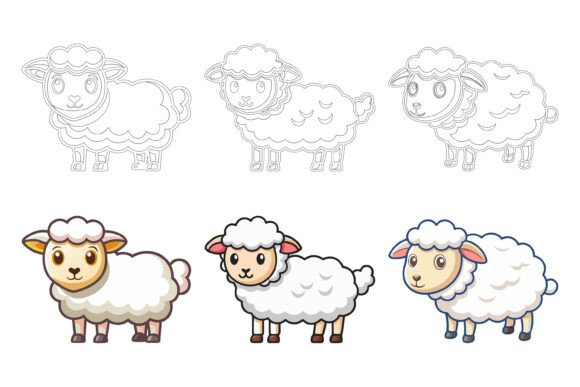
Consider the example of a cute and funny sheep illustration set. At first glance, it might seem like a simple collection of adorable farm animals. But beneath the surface, the organizational quality determines how efficiently you can put these assets to work. Perhaps you need to animate a single sheep for a children's educational app. Or maybe you want to extract just the smiling face to use as a logo mark for a nursery brand. When layers are thoughtfully labeled and elements are grouped logically, these tasks become intuitive rather than frustrating.
Perfection in Details and Consistency Across the Set
Another hallmark of a premium AI EPS collection is the consistency that runs through every illustration. In a set of sheep characters, for instance, you might find multiple poses, expressions, and accessories—one sheep holding a welcome sign, another wearing glasses, a third leaping joyfully through a field. Despite the variety, all the illustrations should share a cohesive visual language: the same line weights, a harmonious color palette, consistent shading styles, and a unified level of detail. This perfection in details and consistency is what separates a professional illustration pack from a random assortment of clip art. It ensures that when you use several illustrations together—on a website landing page, in a printed brochure, or across a series of infographics—they feel like parts of the same family rather than disjointed elements.
This consistency also builds trust. For a brand, visual coherence reinforces recognition. For an educator, it creates a polished learning environment. For a developer building an app, it maintains a seamless user experience. The cute sheep characters, with their funny expressions and endearing charm, become reliable building blocks for communication rather than decorative afterthoughts.
Practical Applications: Where Illustrations Come to Life
The versatility of AI EPS illustration sets is one of their greatest strengths. Because vector graphics can be scaled and edited so freely, the same sheep illustration that appears on a printed poster can also live on a mobile app icon, a website header, a social media graphic, a product label, and an infographic slide—all without any loss of quality. Let's explore some of the most common and impactful use cases.
Print Media: From Brochures to Merchandise
Printed materials demand high-resolution output, and vector illustrations deliver without compromise. A cute sheep character can be placed on the cover of a children's book, incorporated into a farm-to-table restaurant menu, or printed on fabric for baby clothing. Because the source files are editable, you can adjust the color of a sheep's wool to match brand guidelines or remove a background element to let the character float cleanly on a white page. The inclusion of JPG files in many collections provides a quick raster preview that can be used for mockups, presentations, or online listings where a lightweight image is preferred over a full vector file.
Web and UI Design: Scalable Icons and Engaging Visuals
On the web, performance and visual clarity must coexist. Vector-based SVG exports—easily generated from AI or EPS files—offer tiny file sizes that load quickly while looking razor-sharp on retina and high-DPI displays. A funny sheep icon could serve as a whimsical loading animation, a playful favicon, or a category symbol in an e-commerce app selling organic wool products. The ability to edit, change colors, and modify the icon so easily according to your needs means that designers can adapt a single base illustration into multiple variants—different colors for different sections, outlined versions for inactive states, or filled versions for active states—all while maintaining visual consistency.
Symbols, Apps, and Infographics
In the world of symbols and iconography, simplicity and recognizability are key. Vector illustrations that feature clean shapes and expressive details work beautifully as part of a symbol set. A sheep symbol can represent concepts like peace, gentleness, agriculture, or sleep (counting sheep, after all). Infographics, too, benefit enormously from custom illustrations. Rather than relying on generic stock charts, you can use illustrated sheep to populate a playful infographic about wool production, sustainable farming, or even a humorous take on workplace productivity. When the files are easy to edit, you can quickly resize elements to emphasize data points, change colors to match a presentation theme, or remove parts of an illustration that clutter the visual story.
Editable Files: The Freedom to Make It Your Own
One of the most common misunderstandings about stock illustrations is that you must use them exactly as they come. The reality is far more empowering. With AI and EPS files, you hold the keys to complete creative control. Every shape, every color, every stroke, and every anchor point can be adjusted. Want to turn a white sheep into a black sheep for a visual metaphor? Simply select the wool shape and recolor it. Need to remove the funny glasses from one character and place them on another? Copy and paste the grouped elements. The ability to edit, change colors, and modify icons so easily transforms a static illustration collection into a living design system that flexes around your specific requirements.
This customizability is particularly valuable for branding projects. A business can take a charming sheep illustration, adjust its color palette to match the brand's primary and secondary hues, simplify the details for a minimal logo variation, or add typography to create a complete lockup. The original illustration serves as a strong foundation, but the final result can look entirely bespoke.
Layers and Organization: A Closer Look Under the Hood
Imagine opening a file to find dozens of layers named things like "Layer 1," "Path 47," or "Group 12." This is the digital equivalent of walking into a library where none of the books have titles on their spines. A well-prepared AI EPS collection avoids this entirely. Layers might be organized by character—"Sheep_Standing," "Sheep_Jumping," "Sheep_Holding_Sign"—or by element—"Faces," "Accessories," "Backgrounds." Sub-layers keep individual components separated so that you can toggle visibility, lock certain parts while editing others, or export isolated elements with ease. This level of organization does not just save time; it reduces the cognitive load that comes with navigating complex creative files, allowing you to stay in a state of creative flow.
Bridging the Gap: Why Professionals and Beginners Alike Benefit
A common assumption is that AI EPS files are only for expert designers who spend all day in Adobe Illustrator. While professionals certainly appreciate the depth these formats provide, beginners also gain significant advantages. Many modern design tools—including free options like Inkscape and browser-based editors—can import EPS or AI files. A beginner can open a file, select a pre-colored sheep illustration, and export it as a PNG for a school project or a blog post without ever touching a complex tool panel. Over time, as the user's comfort with vector editing grows, the same files offer room to experiment with more advanced modifications. In this way, a high-quality illustration collection grows alongside your skills.
Evaluating Quality: What to Look For in an AI EPS Collection
When browsing for vector illustration packs—whether cute sheep, botanical elements, or geometric patterns—there are a few indicators of quality worth keeping in mind. Look for previews that demonstrate range and detail. Read about the file structure and organizational philosophy. Collections that explicitly mention cross-platform compatibility, layer organization, and ease of editing signal that the creator has invested care into the product. Also consider the licensing terms. A great illustration set should give you the flexibility to use the assets across personal, commercial, and client projects without constant worry about attribution or additional fees.
A well-rounded collection often includes multiple file types. AI and EPS serve as the editable core, while JPG files provide quick, flattened versions suitable for immediate use in presentations, word processors, or social media scheduling tools. This bundle approach respects the reality that not every task requires full vector editing—sometimes you simply need a cheerful sheep image to brighten a newsletter, and a JPG is the most efficient path from download to publication.
Staying Ahead: The Role of Vector Illustrations in Modern Design
As visual platforms multiply, the demand for adaptable, reusable design assets continues to climb. AI EPS illustration collections sit at the intersection of creativity and practicality. They empower users to produce work that feels custom-crafted without the time and cost associated with commissioning original artwork for every project. For independent creators, these collections level the playing field, enabling them to compete with larger brands in terms of visual polish. For educators and nonprofit organizations, they offer an affordable way to enrich communications and learning materials. For small business owners, they provide a foundation for building a recognizable visual identity that can evolve over time as the business grows.
The specific charm of a cute and funny sheep set lies in its emotional resonance. Sheep evoke feelings of warmth, gentleness, and humor—qualities that translate well across industries from childcare to wellness to sustainable living. Pairing that emotional appeal with the technical strength of AI EPS formats creates an asset that is both delightful and deeply practical. Whether you are designing a welcome page, crafting a product label, building an app icon, or decorating a classroom wall, these illustrations invite smiles while meeting professional standards.
Taking the Next Step in Your Creative Journey
Building a personal library of vector illustration resources is one of the smartest investments you can make in your creative future. Each well-organized, editable collection you acquire becomes a resource you can return to again and again, across different projects and different seasons of your work. The initial time spent familiarizing yourself with the file structure pays ongoing dividends in faster project turnarounds and more polished final products. And because AI and EPS formats are built on open, widely supported standards, the files you purchase today will remain usable for years to come, regardless of how specific software versions evolve.
As you evaluate your next illustration purchase, consider the full picture: the charm of the artwork, the integrity of the files, the freedom to edit and adapt, and the range of applications from print to web to mobile. The right collection does not just fill a one-time need; it becomes a versatile asset that supports your creative expression in countless ways. So whether you are building a brand, teaching a lesson, launching an app, or simply adding some personality to your next presentation, embrace the power of well-crafted vector illustrations—and let the funny sheep lead the way.